

HRPlanner provides you with the ability to store and share all your company documents in one central system, so you know everyone is always accessing the latest version of an important document. You can store your Documents against individual employee records, and you can also store Documents against the Organisation.
This Folders section allows you to maintain the Organisation Folders which includes configuring who has access to download (View) and upload (Edit) per folder. Any employees in the Organisation Administrator role, like you, are automatically granted Edit access to all Folders.
Access Rights
Access is granted by selecting either View or Edit against one or more Employee Roles.
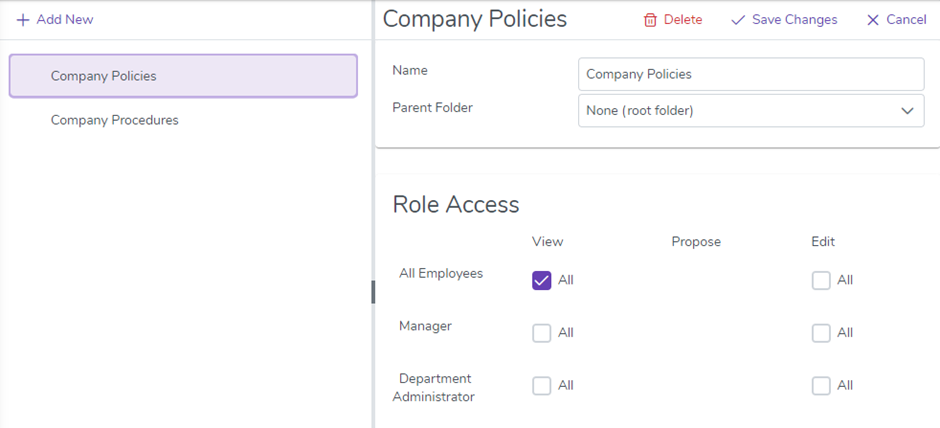
In the screenshot above we have granted View access to the “Company Policies” folder for the “All Employees” Role. This permits any Document that has been uploaded to that Folder to be viewed and downloaded by any employee.
After you have created your Organisation Folders you can use the Documents menu to start uploading your files into them.