
Due to a recent problem with Outlook Desktop it is now recommended to use Outlook Web to add Internet Calendars. These will still display in your Outlook Desktop application. For more information please see this article from Microsoft https://learn.microsoft.com/en-us/troubleshoot/outlook/calendaring/cannot-add-an-internet-calendar
- Sign in to Outlook on the web https://outlook.cloud.microsoft/mail/.
- Switch to the Calendar module.
- Select the Add calendar menu.
- Select the Subscribe from web option.
- Add the path to your Internet calendar file and an optional calendar name.
- Select Import.
Using Outlook Desktop
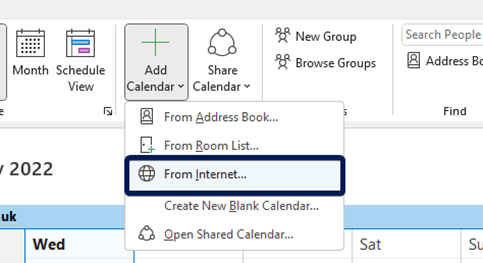
In your Outlook Calendar select the “Add Calendar” menu and then “From Internet…” as follows:
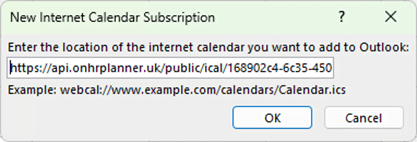
Paste the URL from your Planner View into Outlook
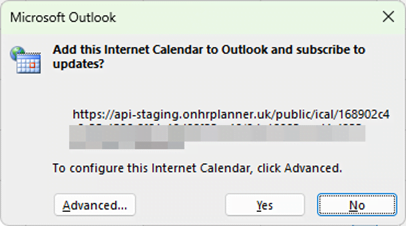
Answer Yes to the next box
To use Outlook on the web to add an Internet calendar, follow these steps: