

This is where you can view and change your basic options, the Theme and setup Single Sign on access.
Basic Options
Basic options are the name of your Organisation and whether you want to globally allow anybody to be able to setup and use iCal feeds.
An iCal feed is an “Internet Calendar” feed where information in HRPlanner can be pulled into other calendars like Microsoft Outlook and Google Calendar however there is no authentication required when pulling an iCal feed – if you do not want any information to be available outside of HRPlanner then leave this unticked.
Theme
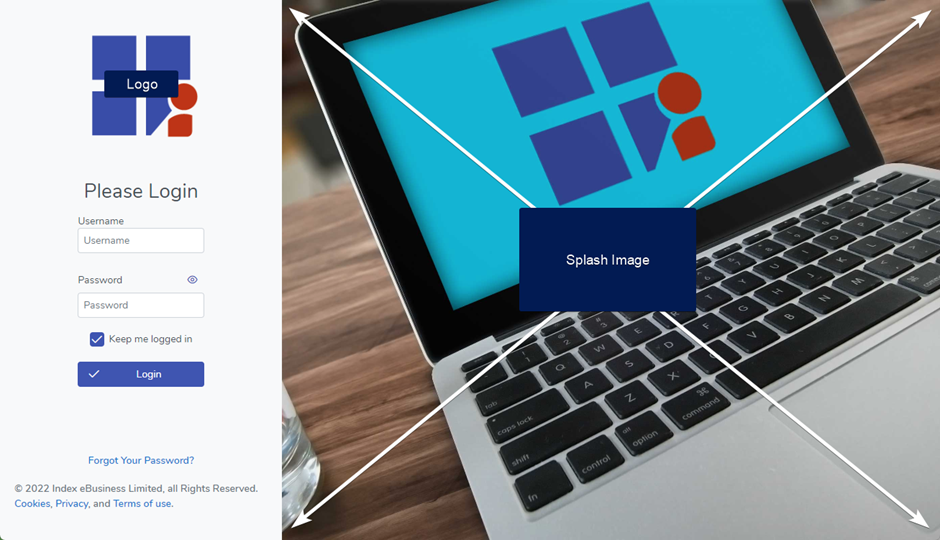
You can upload your company logo here along with a splash image to display on your Login page. Your logo along with a splash image helps reinforce that people are logging into the right platform and are not providing their credentials on a fake website.
Single Sign On (OpenID)
If your company uses Office 365 or you use another OAuth provider then you can configure HRPlanner to use Single Sign On. You would need to speak with your IT Support team to set this up or contact us at support@hrplanner.uk for assistance.
Click here for a guide on configuring Office 365 for HR Planner Single Sign On.